Viral Dog Button Training: Teach Your Pup to Speak Now
Discover the viral dog button training trend. Learn how to teach your pup to communicate using AAC sound buttons with our step-by-step guide.
The Viral Phenomenon of Dog Button Training
If you have spent any time on TikTok or Instagram recently, you have likely seen videos of dogs "talking" to their owners using sound buttons. Dogs like Bunny the Sheepadoodle and Stella the Cavapoo have amassed millions of followers by pressing recordable buttons to express thoughts like "outside," "play," and even "love you." But is this just a clever trick, or are dogs genuinely communicating? Welcome to the world of canine Augmentative and Alternative Communication (AAC). As a growing trend in the dog training community, button training bridges the gap between human language and canine cognition. This guide will walk you through the science, the gear, and a precise 30-day training protocol to teach your dog to speak.
The Science: Can Dogs Actually Use AAC?
Augmentative and Alternative Communication (AAC) has been used for decades to help non-verbal humans communicate. Recently, cognitive scientists have begun studying its application in animals. According to researchers at TheyCanTalk.org, a citizen-science initiative led by UC San Diego's Comparative Cognition Lab, dogs possess the cognitive ability to associate abstract symbols (or sounds) with specific outcomes, environments, and emotional states. While dogs do not understand grammar or syntax in the human sense, they excel at associative learning. The American Kennel Club notes that dogs are highly attuned to human routines and cues. By giving them a soundboard, we are simply providing a new, highly structured outlet for their existing associative skills. However, the Association of Professional Dog Trainers cautions owners to manage their expectations: your dog is learning to make requests and express immediate needs, not to debate philosophy.
Essential Gear: Comparing Sound Button Kits
Before you begin, you need the right equipment. The market is flooded with options, ranging from cheap recordable toys to specialized AAC systems. Here is a breakdown of the most popular choices, including costs and practical considerations.
| Brand / Type | Average Cost | Pros | Cons |
|---|---|---|---|
| FluentPet Starter Kit | $149.95 | Hexagonal foam mats keep buttons organized; durable, high-quality audio; scientifically designed layout. | High initial investment; replacement buttons can be pricey. |
| Learning Resources Answer Buzzers | $24.99 (Set of 4) | Budget-friendly; bright colors; easy to record. | Slide around on hard floors; loud, abrupt clicking sound; no organizational mat. |
| Generic Amazon Recordable Buttons | $15.99 (Set of 6) | Very cheap; allows for rapid expansion of vocabulary. | Poor battery life; audio degrades quickly; fragile plastic casing. |
Pro Tip: If you are testing the waters, start with the Learning Resources buzzers. If your dog shows high aptitude and you plan to build a 30+ word vocabulary, invest in the FluentPet system. The spatial memory of dogs is exceptional, and keeping buttons in a fixed, organized layout (like FluentPet's hex tiles) drastically reduces cognitive load and learning time.
Step-by-Step: Teaching Your First Word ("Outside")
Do not start with complex concepts like "love" or "mad." Start with a highly motivating, tangible action. "Outside" or "Walk" is universally the best first button. Here is your actionable, step-by-step protocol.
Step 1: Target Training (Days 1-3)
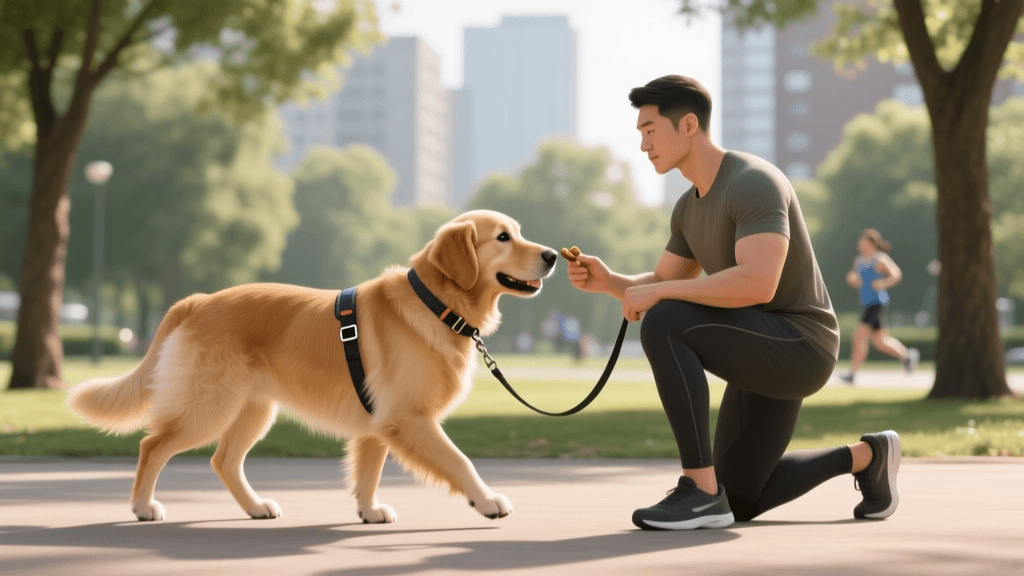
Before introducing the button, your dog must know how to target an object with their nose or paw. Use a plastic lid or a sticky note. Hold it out. The moment your dog sniffs or touches it, mark the behavior with a clicker (like the Karen Pryor i-Click, ~$7) or a verbal "Yes!" and deliver a pea-sized, high-value treat (e.g., Zuke's Mini Naturals or boiled chicken breast). Repeat this 10-15 times per session, twice a day, until your dog confidently boops the target on command.
Step 2: Modeling the Behavior (Days 4-7)
Record the word "Outside" on your button using a clear, enthusiastic, and consistent tone. Place the button near the door you use to go outside. Every single time you take the dog out, say "Outside," press the button yourself, and immediately open the door. You are modeling the association. Do not force the dog's paw onto the button. Let them observe.
Step 3: Capturing and Shaping (Days 8-14)
Now, wait. Stand by the door with your leash and treats. Look at the button, then look at your dog. If they sniff or paw the button, immediately say "Yes!", open the door, and go outside for a 5-minute play session. The reward for pressing "Outside" must be going outside. If they struggle, go back to modeling.
Step 4: Adding Distance and Context (Days 15+)
Once your dog is reliably pressing the button at the door, move the button to a centralized location in your living room. Now, the dog must travel to the button, press it, and wait for you to leash them up. This proves they understand the button is a communication tool, not just a "doorbell" tied to a specific physical location.
Your 30-Day Button Training Schedule
Consistency is the cornerstone of behavioral conditioning. Follow this structured schedule to build a solid foundation without causing button fatigue.
- Week 1: Foundation & Modeling. Focus entirely on nose-targeting and modeling the "Outside" button. 3 sessions per day, 3 minutes each. Cost of treats: ~$5 for a week of boiled chicken.
- Week 2: Capturing the Press. Reward any accidental or intentional interaction with the button. Begin withholding the door opening until the button is pressed. 2 sessions per day, 5 minutes each.
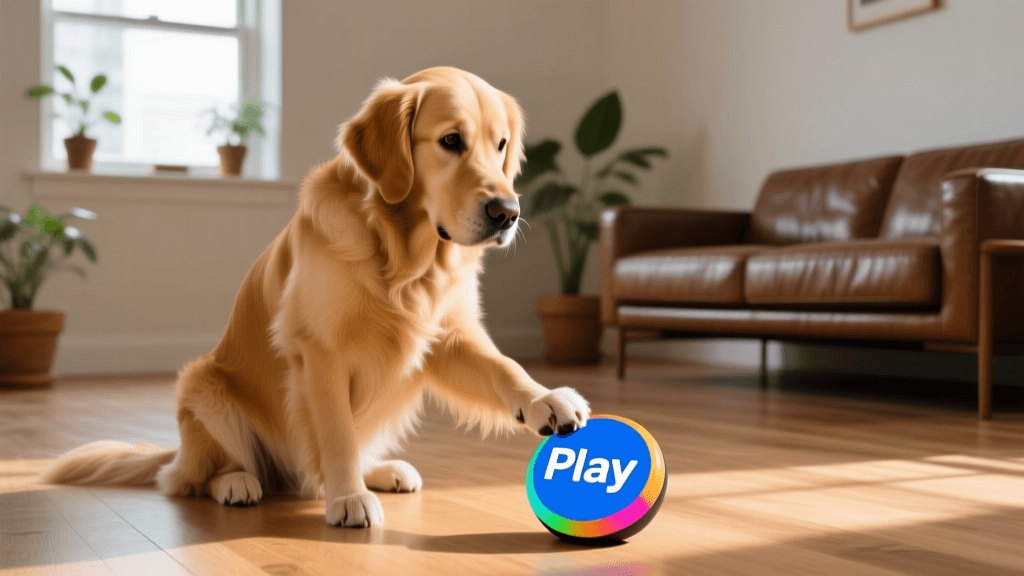
- Week 3: Introduction of "Play". Add a second button. Record "Play" and place it next to the "Outside" button. Model pressing it before throwing a toy (e.g., a Chuckit! Ball, ~$8). Keep "Outside" and "Play" in distinct, separate locations if using generic buzzers, or adjacent on a mat if using FluentPet.
- Week 4: Discrimination Testing. Present both buttons. Ask your dog, "Do you want to play or go outside?" Reward only the correct choice. If they press "Play," engage in 5 minutes of tug-of-war. If they press "Outside," go for a sniffari walk.
Common Pitfalls and How to Avoid Them
As with any viral trend, enthusiasm can sometimes override good training mechanics. Avoid these common mistakes to ensure your dog actually learns to communicate.
1. Over-Prompting and Pointing
It is incredibly tempting to point at the button or tap it yourself when your dog is staring at you. If you point, the dog is following your physical gesture, not making an independent cognitive choice. Stand still, look at the button, and wait. Silence and patience are your best tools.
2. Button Fatigue and Extinction Bursts
If your dog presses "Outside" 40 times in an hour, you have created a monster. You must set boundaries. It is perfectly acceptable to say, "We just came inside, it is too cold, no more outside right now," and cover the button or ignore the press. According to behavioral science, you may see an "extinction burst"—a sudden increase in frantic button pressing when the reward is withheld. Stay calm, do not reward the burst, and the behavior will settle.
3. Inconsistent Vocabulary
Decide on your words before you record them. Do not use "Walk" on Monday and "Outside" on Tuesday. Dogs rely on consistent auditory patterns. Write your vocabulary list down and stick to it.
Final Thoughts on Canine AAC
Teaching your dog to use sound buttons is one of the most rewarding training journeys you can embark on. It requires patience, precise timing, and a deep respect for your dog's cognitive abilities. Whether your dog learns three buttons or thirty, the process of trying to understand their inner world will profoundly deepen the bond you share. Grab your clicker, record your first button, and start the conversation today.
tom-renshaw
All our authors care for dogs every day — read more of their work on the authors page.