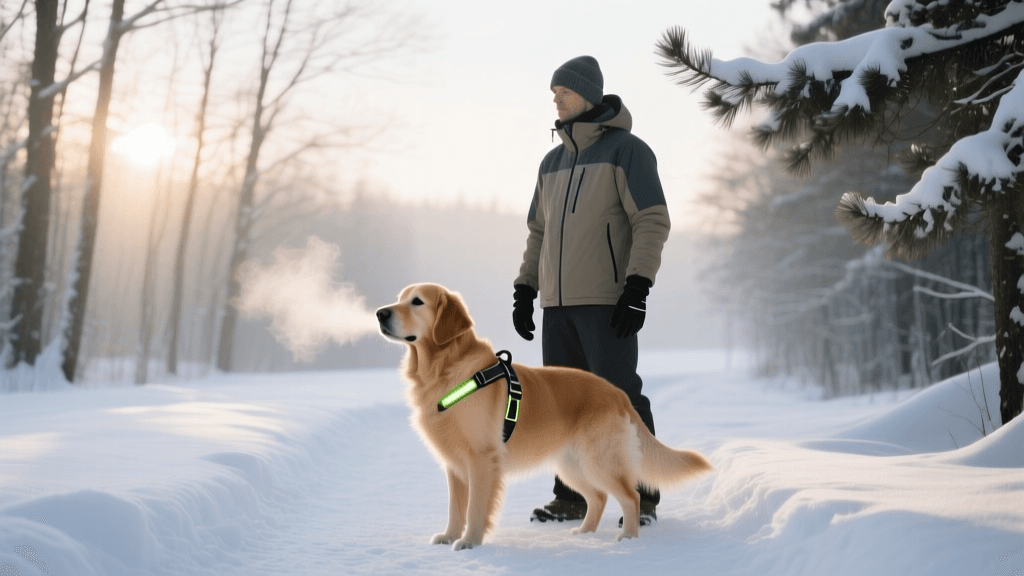
Using Smart Collars and GPS Trackers for Recall Training
Discover how to use smart collars and GPS trackers to master recall training. Learn setup tips, boundary conditioning, and top tech recommendations.

The Intersection of Technology and Behavioral Conditioning
The dream of every dog owner is to hike off-leash through dense woods or relax at a sprawling park without the lingering anxiety of their dog bolting after a squirrel. Traditional recall training relies heavily on positive reinforcement, long-lines, and high-value treats. While these methods remain the gold standard, modern technology has introduced a powerful new layer to behavioral conditioning: the smart collar. Today, GPS trackers and virtual fencing systems are not just tools for finding a lost pet; they are sophisticated training aids that provide real-time data, environmental boundaries, and haptic feedback to reinforce obedience.
Integrating technology into your training regimen does not replace the need for patience or treats. Instead, it acts as an invisible safety net and a data-driven coach. By understanding how to leverage GPS tracking and smart boundaries, you can systematically proof your dog's recall in high-distraction environments. According to The Humane Society of the United States, recall is one of the most critical life-saving commands a dog can learn, yet it is often the most difficult to master in uncontrolled environments. Smart collars bridge the gap between the controlled living room and the unpredictable real world.
Smart Collar Comparison Chart: Tracking vs. Virtual Fencing
Before diving into training protocols, it is vital to distinguish between GPS trackers (which monitor location and activity) and GPS virtual fences (which provide audio, haptic, or static feedback when a dog approaches a boundary). Below is a comparison of the top devices on the market to help you choose the right tool for your training goals.
| Device | Primary Function | Upfront Cost | Subscription Cost | Battery Life | Best For |
|---|---|---|---|---|---|
| Fi Series 3 | GPS Tracking & Activity | ~$129 | ~$8/mo | Up to 3 months | Recall data tracking & escape alerts |
| Whistle Go + Health | GPS & Health Monitoring | ~$149 | ~$10/mo | Up to 20 days | Monitoring stress/activity levels |
| SpotOn GPS Fence | Virtual Fencing & Tracking | ~$999 | ~$8/mo (optional) | ~20 hours | Large properties & off-leash hiking |
| Halo Collar 3 | Virtual Fencing & Training | ~$699 | ~$100/yr | ~20 hours | Structured behavioral conditioning |
When selecting a device, consider your dog's size and your specific training needs. Devices like the SpotOn and Halo are heavier and generally recommended only for dogs over 35 pounds, whereas tracking-only collars like the Fi are lightweight and suitable for most breeds over 10 pounds.
Step-by-Step GPS-Assisted Recall Training
Using a smart collar for recall training requires a phased approach. You cannot simply strap a virtual fence collar onto your dog and expect them to understand the invisible boundaries. The American Veterinary Society of Animal Behavior (AVSAB) strongly advocates for humane, force-free training methods, emphasizing that any aversive stimuli (like static corrections) should only be considered after exhaustive positive reinforcement training has failed, and ideally under the guidance of a certified behaviorist. Therefore, the modern approach to smart collars prioritizes haptic (vibration) and audio cues paired with high-value rewards.
Phase 1: Baseline Tracking and Safe Zone Mapping (Weeks 1-2)
Start with a tracking-only collar or disable the correction features on a virtual fence collar. Spend the first two weeks simply mapping your environment. Create "Safe Zones" in your app around your home, your local park, and your favorite hiking trailhead. Use the app's activity tracking to monitor your dog's baseline exercise and resting heart rate (if supported). This phase is purely about data collection and ensuring the hardware fits correctly using the "two-finger rule"—you should be able to slide two fingers comfortably between the collar's contact points and your dog's skin.
Phase 2: Leashed Boundary Introduction (Weeks 3-4)
If you are using a virtual fencing collar, set up a temporary boundary in your backyard or a quiet park. Put your dog on a 15-foot long line. Walk them slowly toward the boundary. The collar will first emit a warning tone or a gentle haptic vibration. The moment your dog stops or turns back toward you, immediately mark the behavior with a clicker or a "Yes!" and reward them with a high-value treat like freeze-dried liver or boiled chicken. Repeat this 10 to 15 times per session, keeping sessions under 15 minutes to prevent cognitive fatigue. The goal is to condition the dog to associate the haptic warning with the action of returning to you for a reward.
Phase 3: Off-Leash Proofing with Haptic Feedback (Weeks 5-8)
Once your dog reliably turns back upon feeling the haptic cue on the long line, you can begin off-leash proofing in a secure, mapped area. Allow your dog to explore. When they approach the virtual boundary and receive the haptic cue, call them using your designated recall word (e.g., "Come" or "Here"). When they return, throw a "recall party"—offer enthusiastic praise, a game of tug, or a jackpot of treats. As noted in the American Kennel Club (AKC) training resources, consistency in your recall cue and the subsequent reward is what solidifies the behavior in high-distraction environments.
Fitting, Costs, and Subscription Realities
Modern dog tech is an investment, both financially and in terms of time. When budgeting for a smart collar training program, you must account for both hardware and ongoing software costs. Tracking collars like Fi and Whistle require a cellular subscription (typically $8 to $10 per month) because they rely on LTE networks to ping your dog's location to your smartphone. Without an active subscription, the GPS tracking and escape alerts are rendered useless.
Virtual fence collars like SpotOn and Halo also utilize cellular networks for real-time tracking and boundary updates, though SpotOn allows you to use the core virtual fencing features offline via GPS satellites, which can save on monthly fees if you only need tracking occasionally. Furthermore, consider the physical weight of the device. A 900-gram virtual fence collar can cause neck strain on a 20-pound terrier. Always check the manufacturer's weight guidelines, and limit the time the dog wears the heavy collar to active training sessions, swapping back to a lightweight flat collar for downtime.
Balancing Tech with Positive Reinforcement
The most common mistake owners make with smart collars is relying on the technology to do the training for them. A GPS tracker cannot teach your dog to sit, stay, or come. It can only tell you where your dog is when they fail to listen. Similarly, a virtual fence collar should never be used as a substitute for foundational recall training. The haptic feedback is simply a prompt—a tap on the shoulder that reminds the dog of the rules you have already taught them.
To maintain a healthy behavioral profile, ensure that 90% of your training interactions remain rooted in positive reinforcement. Use the app's data to your advantage: if you notice via the GPS heat map that your dog consistently breaks their recall near a specific wooded edge, you know exactly where to set up your next long-line training session. By combining the analytical power of modern GPS technology with the timeless principles of reward-based conditioning, you can build a reliable, off-leash recall that keeps your dog safe and gives you ultimate peace of mind.
hannah-wickes
All our authors care for dogs every day — read more of their work on the authors page.